LU01b – Database Architecture
Databases are of fundamental importance to modern information systems such as online shops or banking applications. This document provides a brief overview of three key terms:
- DBS: Database System
- DBMS: Database Management System
- DB: Database
How is a database structured?
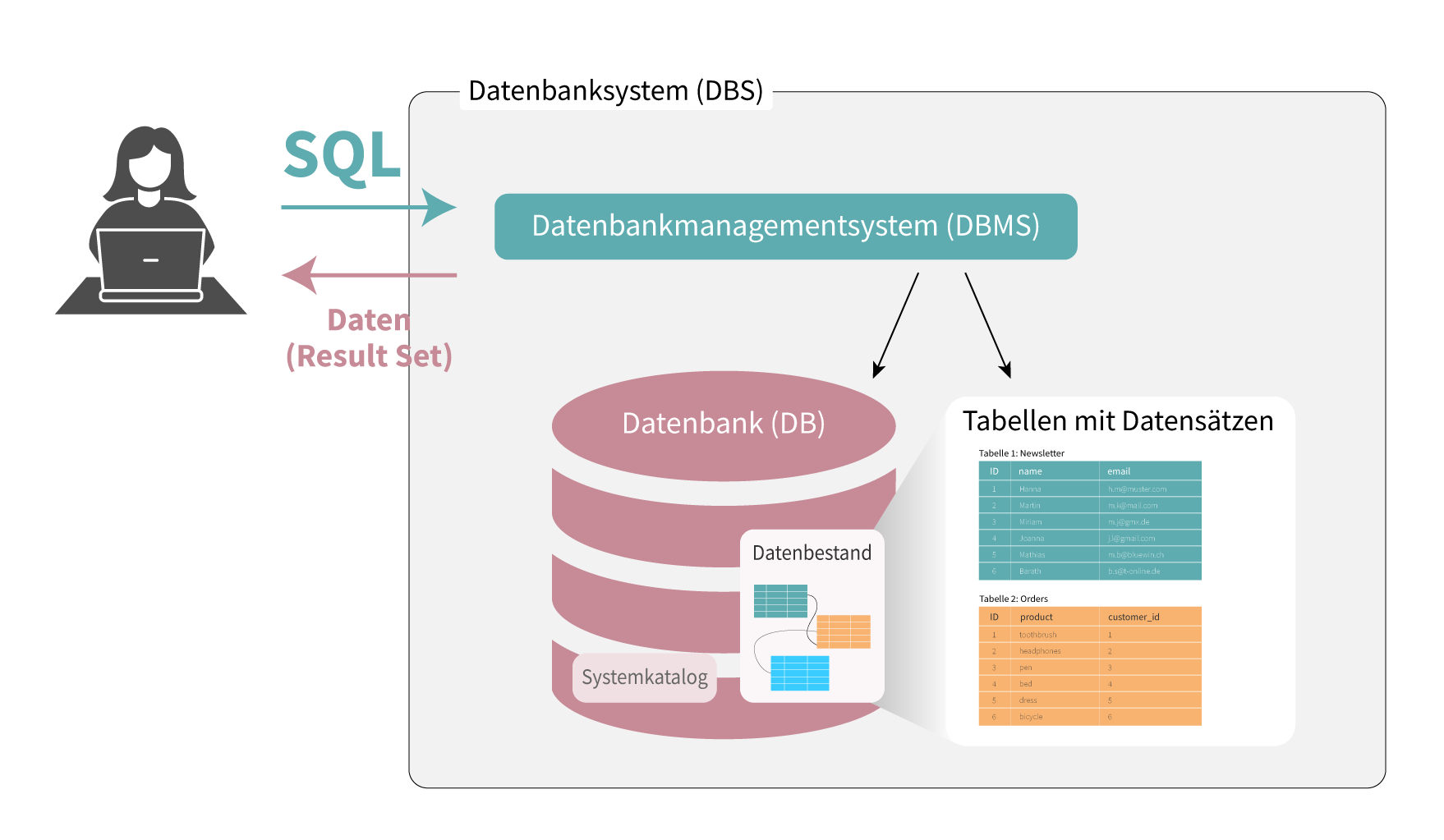
A database system (DBS) consists of two main components:
- The database management system (DBMS) is responsible for managing the data.
- The database stores the information in the form of records organised into tables.
The following diagram illustrates the structure of a database system:
What is a DBMS?
A database management system (DBMS), together with the database forms a database system (DBS).
The DBMS is a piece of software that defines the model of a database system. It is essential for creating, managing and accessing a database. Only once the DBMS has been installed and set up can users insert, retrieve and edit data. It acts as an intermediary between users and the database.
Key functions of a DBMS:
- Data definition: The DBMS creates and modifies the structure of the database.
- Data manipulation: Users can insert, update, delete and query data.
- Data Querying: Enables users to search specifically for certain data.
- Data integrity: Ensures that the data is accurate and consistent.
- Data security: Protects data from unauthorised access.
Note: The terms ‘DBMS’ and ‘database’ are often mistakenly used interchangeably. In fact, a ‘database’ is simply a collection of structured data, whilst the DBMS is the software that enables and manages this structure.
 1)
1)
This video explains the structure of databases in an easy-to-understand way – watch only up to 01:35 - We’ll look at access controls and recovery later in the module.
Application software and DBMS
 We use WebStorm with the database plugin to interact with MySQL. We will install the WebStorm development environment in the next learning unit.
Application software facilitates interaction with database systems. It provides user-friendly interfaces through which users can create, query and manage databases. Well-known examples include phpMyAdmin for MySQL databases, MySQL Workbench for advanced features, and DataGrip by JetBrains, a paid solution for various DBMSs. These tools support, amongst other things, data visualisation, performance monitoring and advanced queries. Throughout this module, we will interact with databases using WebStorm and its database plugin.
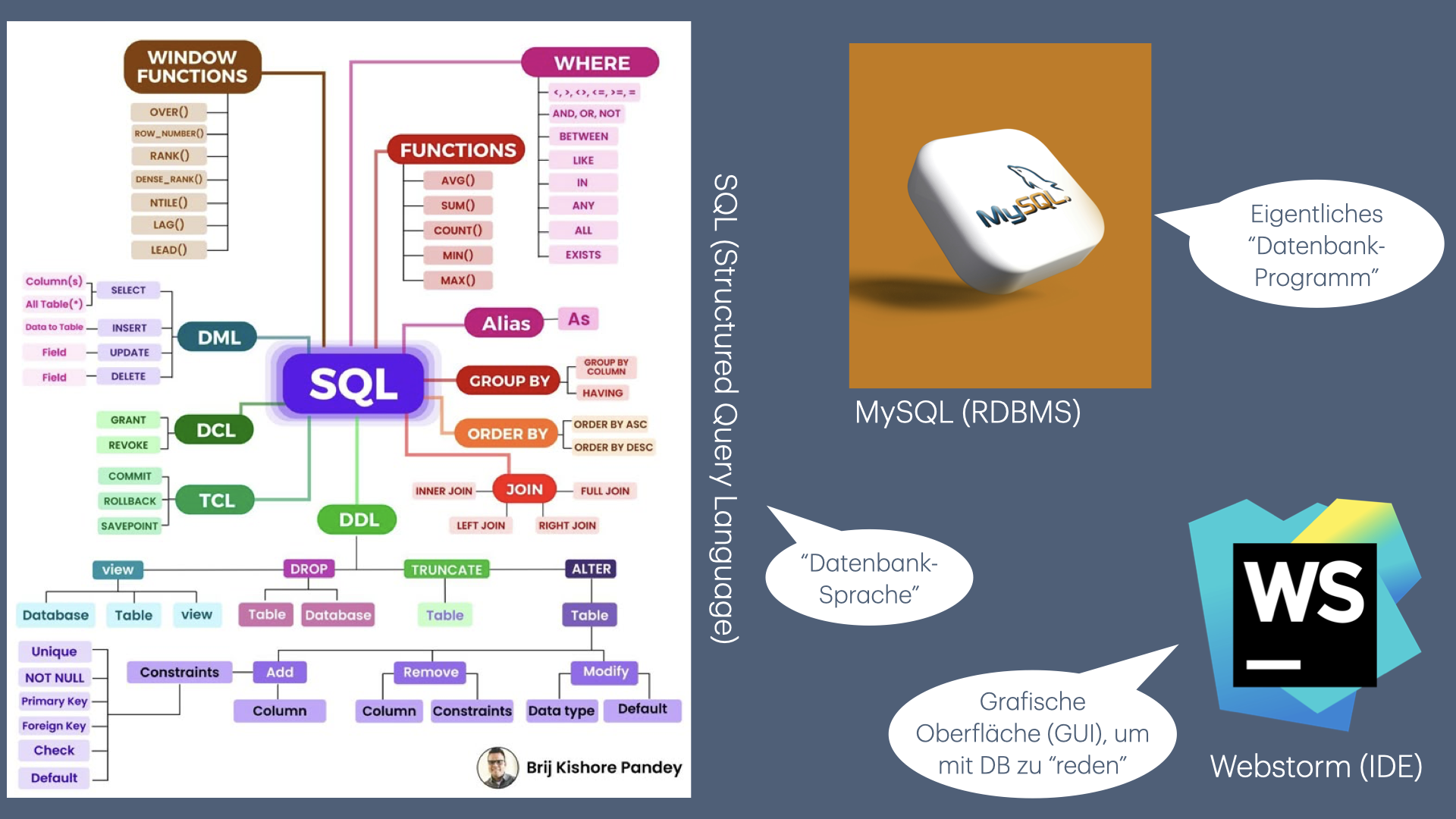 In this module, we will use SQL as the language for interacting with databases (creating, querying and modifying tables), MySQL is our DBMS – in other words, the software we access using SQL – and WebStorm provides the interface for writing SQL code and viewing the database.